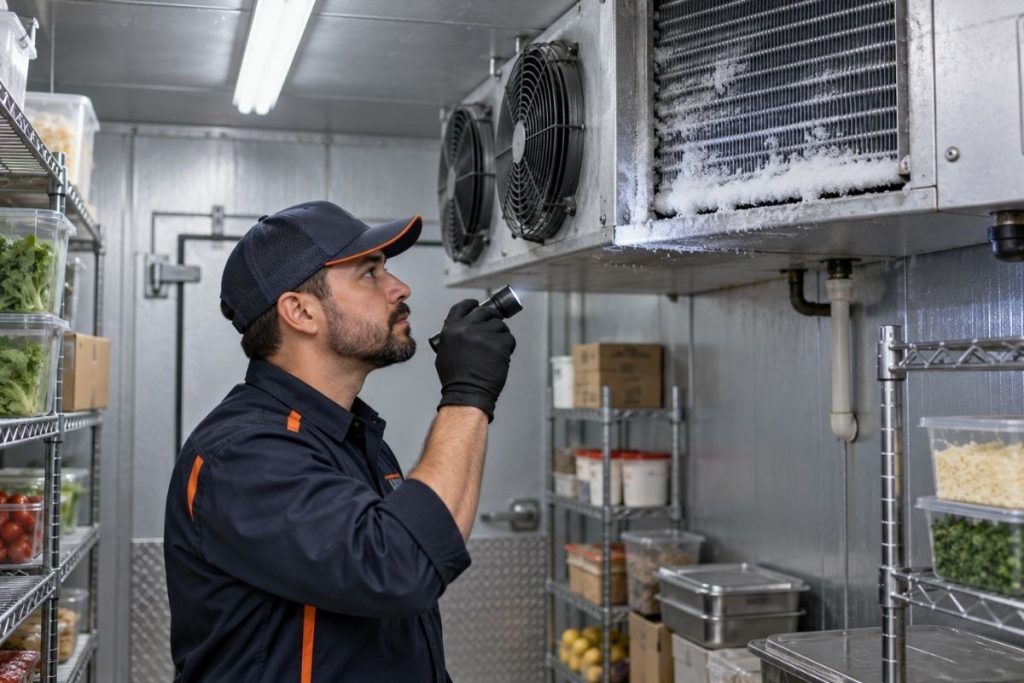
A display case with fogged glass needs a location-based diagnosis: moisture on the outside, inside, or between panes points to different causes. Product temperatures must be checked separately.
Fogged glass makes refrigerated products harder to see, but it does not identify one failed part. Moisture appears when a surface is cold enough for surrounding air to condense on it. In a Phoenix store, frequent door openings, changing indoor humidity, damaged seals, and the case’s anti-sweat heating controls can all alter that balance. The location and timing of the fog are more useful than the fog alone.
This article focuses on visibility and condensation at refrigerated display cases. It does not replace a temperature assessment: a clear door does not prove safe product temperatures, and a fogged door does not by itself prove the refrigeration circuit has failed. Monitor stored goods according to your operation’s procedures.
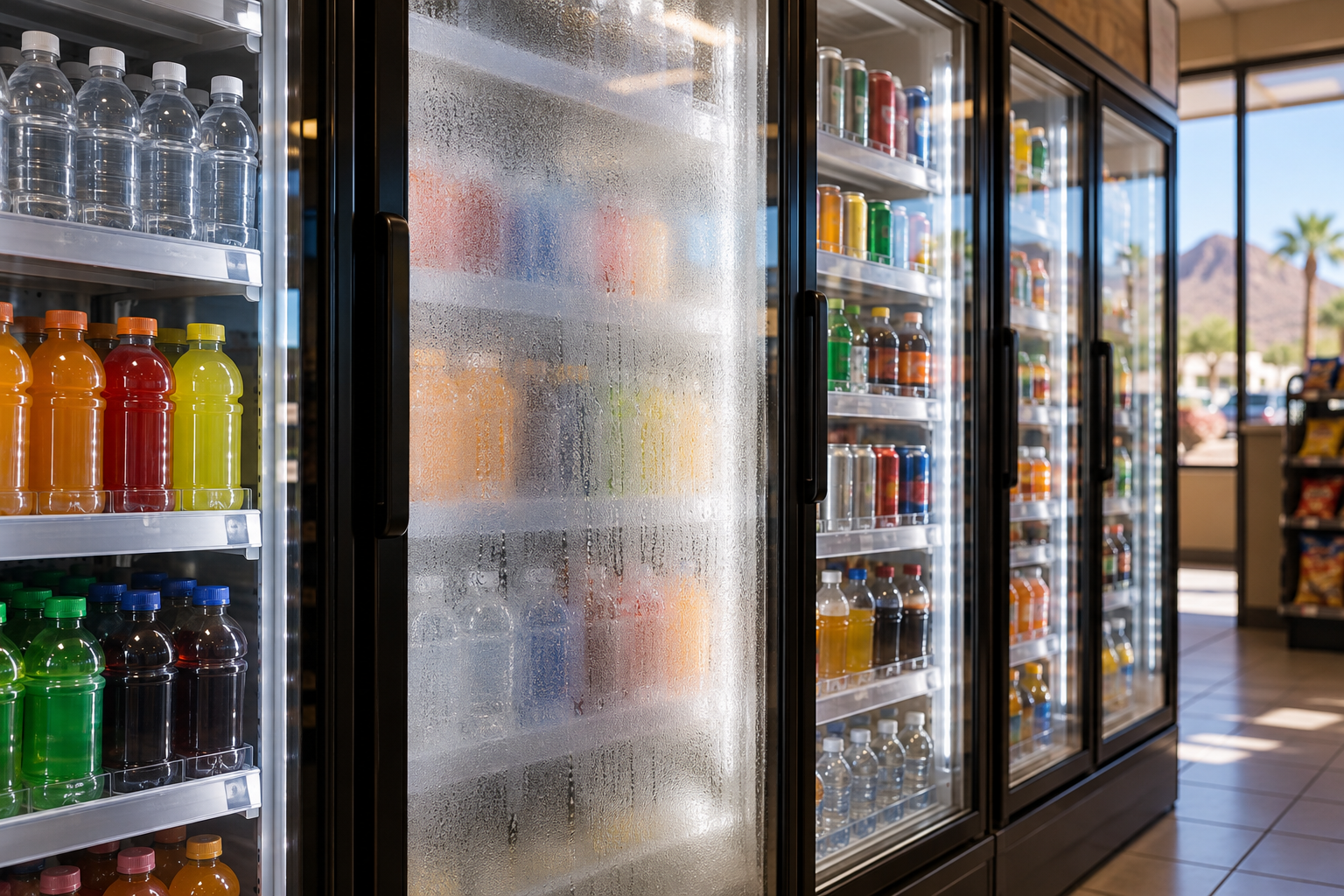
Start by noting where the moisture appears
Condensation on the outside of the glass suggests the exterior surface is colder than the surrounding air’s dew point. Moisture between glass panes can indicate a glazing-seal problem. Water or frost around the door frame may point toward poor gasket contact, a door that does not close properly, or a heater issue. Take photos when the symptom is present, because it may disappear before a service technician arrives.
Also note whether one door is affected or the whole case. A single foggy door suggests a localized issue; widespread fog may reflect store humidity, case settings, or the surrounding air. These are clues, not a remote diagnosis.
Check the operating pattern
Door traffic and closing
During busy hours, warm store air repeatedly enters the case. A door that rebounds, sags, or stays slightly open creates a more persistent moisture load. Staff can safely observe closing behavior and note obstructions without disassembling the frame.
Gasket condition
A torn, dirty, or flattened gasket may fail to seal even when the door looks closed. However, installing a new gasket will not correct worn hinges or a misaligned door. A complete door assessment is preferable to replacing parts by appearance.
Store conditions
Nearby entrances, open doors, HVAC schedules, and changing indoor humidity can affect a case. Record whether fogging begins after cleaning, deliveries, or a particular time of day. Do not assume outdoor desert air is always dry enough to prevent condensation inside a busy store.

What anti-sweat heaters do
Some display cases use controlled heat in or around glass and door frames to keep surfaces above the condensation point. A failed heater, control, sensor, or connection can leave a localized area foggy or wet. Conversely, a heater operating unnecessarily may waste energy. The correct configuration varies by equipment and should be verified against the manufacturer’s specifications.
Do not disconnect a heater or change control wiring to see whether the fog improves. A technician can inspect electrical operation safely and determine whether the issue is in the heater circuit, glazing, gasket, or store environment.
When fogging requires urgent attention
Escalate promptly if measured product temperatures drift, water creates a slip hazard, frost interferes with door closing, or the case repeatedly alarms. Use a calibrated thermometer and the facility’s food-safety process for any potentially affected products. The display’s reading alone may not represent every shelf or item.
Our reach-in cooler and display-case service covers glass condensation, doors, controls, and refrigeration performance. For other equipment, see commercial refrigeration services.
Questions to ask during diagnosis
Ask whether the technician checked door alignment and seals, measured case and product temperatures, examined the glass location of condensation, verified heater controls where fitted, and considered the store’s indoor conditions. A useful service report should explain the evidence for the recommended repair, not merely state that the glass was foggy.
Seven display case checks before choosing a repair
1. Locate the moisture precisely
Mark whether condensation is on the store-facing surface, the case-facing surface, the door frame, or apparently trapped between panes. A dry cloth can help staff identify which accessible surface is wet, but do not remove glazing or electrical trim. Moisture between sealed panes may require a different repair from exterior sweating. A photograph taken while the symptom is present is valuable because glass may clear by the time service arrives.
2. Note one door versus the whole lineup
If one display case door fogs while adjacent doors stay clear, investigate local differences: gasket contact, hinge alignment, glazing, or the heater circuit if that model has one. If every door fogs at the same time, store humidity and common controls become more plausible. Neither pattern proves a cause. Record the doors affected and the hour at which the problem appears.
3. Observe the door-closing sequence
Watch whether the door closes gently and fully after normal customer use. A door that rebounds or catches a shelf label may stay slightly ajar. That gap admits warmer, moister air and can produce frost or water near the frame. Do not force hinges or remove hardware. Note the opening pattern during deliveries and restocking as well as ordinary shopping hours.
4. Inspect visible gasket condition
A torn, flattened, dirty, or displaced gasket can break the intended seal. Yet a new gasket may not help if the door itself is misaligned. A technician should check the complete door assembly before selecting replacement parts. Staff can photograph visible gaps and clean surfaces only as the equipment maker instructs. A display case that no longer closes fully also deserves prompt attention to temperature control.
5. Record indoor conditions and timing
Store humidity can change with entrances opening, cleaning, deliveries, HVAC setbacks, and seasonal weather. Note whether fog appears after an air-conditioning schedule change or a humid cleaning period. The U.S. Department of Energy’s guide to refrigerated display-case door retrofits says the need for anti-condensate heating depends on the door, case configuration, and ambient conditions. That supports checking the store environment alongside the equipment rather than assuming the glass alone has failed.
6. Verify case and product temperatures independently
Fogging affects visibility, but food safety depends on actual product conditions. Log the case display, alarms, and representative product measurements according to your operation’s procedures. A clear pane does not mean the food is cold enough, and a fogged pane does not necessarily mean it is too warm. If a reading is outside the permitted range, follow the facility’s food-safety corrective actions right away rather than waiting for a glass repair. If water on the floor creates a slip hazard, protect the area promptly.
7. Ask whether the model uses anti-sweat heat
Some display case doors and frames use heaters; others rely on different glazing or frame designs. The presence of a control setting is not enough to know whether heat is reaching the intended surface. A qualified technician can use the manufacturer’s information to check wiring, sensors, controller behavior, and heater operation. Staff should not disconnect a heater to save energy or bypass a controller to clear fog.
Why anti-sweat heat is a balancing act
Condensation forms when a surface falls below the surrounding air’s dew point. An anti-sweat heater can raise the temperature of glass or frames to reduce visible moisture, but its energy use and added heat load matter. The Department of Energy’s commercial refrigeration technical analysis explains that controllers can match heater operation to humidity-related demand. That is why “more heat” is not always the right repair. The appropriate setting depends on the case model, store conditions, and control design.
A technician should determine whether the display case actually has heated glass, heated frames, both, or neither. If one door is wet and the others are not, the technician may compare their operation under the same ambient conditions. If the entire lineup fogs after a store HVAC change, the building environment deserves review. The wrong diagnosis can waste energy or leave the visibility issue unresolved.
Do not confuse a heater problem with a refrigeration fault. A case can maintain product temperature and still have external condensation. Conversely, a clear door can hide inadequate cooling. Managers should maintain separate logs for moisture pattern and product temperature. Keeping those questions distinct makes the service ticket more accurate.
Door seals and glazing: what changes the repair decision
Visible condensation around the frame can accompany a poor seal, but a gasket that looks intact may still fail to contact the frame evenly. Hinges, closer tension, door sag, shelving interference, and debris can affect closing. The technician should test the door in its ordinary loaded configuration. An empty display case with the door closed for hours may not reproduce the problem seen during customer traffic.
Moisture apparently between panes calls for inspection of the glazing assembly. Staff should not attempt to drill, pry, or heat the glass to clear it. The service provider can determine whether the sealed glazing has failed and whether the door or glass assembly is serviceable. If only a small section fogs, a photo showing exact location is more useful than a general report of “cloudy door.”
Case temperature is part of the same visit when a door seal is suspect. Warm air infiltration may increase the refrigeration load, but only measurement can show whether product holding has been affected. If shelves or packages block the door, correct the obstruction without adjusting equipment settings. Keep door tracks and closing areas clear under the manufacturer’s cleaning instructions.

Build a concise service log
Record the display case model and unit number, the affected door, the location of moisture, indoor temperature and humidity if measured, case display reading, any alarm, and the time of day. Note recent changes in store HVAC schedules, door traffic, cleaning, and restocking. Take a photo that includes the whole door and another showing the wet area. This lets a technician compare the symptom with the equipment’s operating cycle.
Ask the service provider to state which observation supported the diagnosis. Did the door fail to close? Was the gasket leaking? Was the heater or control not operating as specified? Was store humidity unusually high? Was moisture trapped within glazing? The final report should distinguish a repair from an environmental recommendation. If both issues are present, document both rather than replacing a single part and assuming the problem is solved.
After service, observe the display case under the same conditions that produced the fog. A clear door just after a repair in a quiet store may not establish that the issue is resolved during a busy, humid period. Recheck temperature records and any floor moisture. If the symptom returns, provide the before-and-after photos and time log. A repeatable pattern helps avoid unnecessary replacement of functioning components.
What managers should not change on their own
Do not turn off anti-sweat heaters, alter wiring, modify glass, or lower the case setpoint in an attempt to clear fog. Lowering the setpoint may make a cold glass surface even more prone to exterior condensation. Changing electrical controls without model-specific instructions can create safety and performance risks. Staff may safely note symptoms, keep doors unobstructed, and follow the manufacturer-approved cleaning procedure, but internal diagnosis belongs to a qualified professional.
If products have temperature problems, activate the business’s food-safety process. If condensation creates a wet floor, address the slip hazard. The display case repair can then proceed with clear evidence rather than an improvised workaround. Discount AC & Refrigeration can assess commercial refrigeration and glass-door conditions; call (480) 478-2616 with the unit details and observations.
After the repair: verify both visibility and cooling
Compare photos at similar store conditions and door-traffic periods. Record whether moisture reappears on the same surface or moves to another area. If the service involved a gasket or hinge, confirm the door now closes completely under normal use. If it involved heater controls, ask how the technician verified operation against the manufacturer’s sequence. Keep the new settings and parts listed in the maintenance record.
Continue separate product-temperature monitoring. A clear display case may look repaired to customers while a refrigeration problem remains. Conversely, persistent external fog with proper product temperatures may indicate an environmental or anti-sweat issue rather than a failed compressor. The final acceptance decision should reflect both measures and the applicable procedures for the goods being stored.
Use a two-column moisture and temperature log
Keep one column for what people see on the display case glass and another for case and product measurements. In the first, mark the affected surface, door number, onset time, store humidity if available, and whether water reaches the floor. In the second, record the case display, any alarm, and representative product temperatures taken under the facility’s procedure. These two columns prevent a common mistake: treating visible fog as a substitute for a food-temperature reading.
The timing matters. A photo just after a delivery, when doors have been open repeatedly, may show a different condition from a photo after the store closes. Compare similar periods on more than one day. If the entire display case lineup fogs after an HVAC setback, tell the technician about the schedule change. If only one door develops moisture after it is used, note its closing behavior. The pattern may narrow the diagnostic work without establishing a cause remotely.
At the service visit, ask the technician to compare the observed pattern with the case manufacturer’s door and heater design. A door with no anti-sweat heater should not be diagnosed as having a failed heater. A door with heated frames but unheated glass requires a different check than one with heated glazing. The report should describe the installed design, the test performed, the result, and any part changed.
Follow-up after a condensation repair
Choose a follow-up period when the store conditions resemble the original complaint. Review the same door, at the same time of day, with similar customer traffic. If a gasket was replaced, confirm the door remains aligned and closes fully; if a controller setting was corrected, ask for the revised setting and why it fits the equipment. If the repair was environmental, document the HVAC or humidity change so it is not lost at the next seasonal adjustment.
Continue to review product temperatures separately. A display case can have more than one issue, and a clear pane is only one sign of improvement. If water returns or temperature alarms continue, reopen the service ticket with the before-and-after records. That is more useful than assuming the first repair failed for the same reason. Record the unit ID, technician findings, completed work, and the date of the next inspection in the maintenance file.
Frequently Asked Questions
Does fogging mean the case is not cooling?
Not necessarily. Fogging and refrigeration performance are related but separate. Measure product temperatures and investigate the moisture pattern.
Can a damaged gasket cause fog on only one door?
Yes, although hinge alignment, door closing, glazing, and heater operation should also be checked before choosing a repair.
Should staff wipe the glass repeatedly?
Wiping may restore visibility temporarily, but recurring condensation needs its cause identified. Follow the manufacturer’s cleaning instructions for the glazing.
Who can assess a persistent fogging problem?
Document the case model, affected doors, time of day, alarms, and temperature readings. Call Discount AC & Refrigeration at (480) 478-2616 to discuss a service visit.