A walk-in cooler thermostat can display a normal-looking number even when stored products, return air, and different areas of the enclosure are at different temperatures. Before changing the setpoint or replacing the controller, operators need to determine what the displayed number represents and whether the cooling system is responding correctly.
This guide explains how a walk in cooler thermostat works, why its reading may differ from a separate thermometer, how sensor placement affects temperature control, and where safe observation ends and professional diagnosis should begin.
Businesses that need a broader explanation of recommended operating temperatures can review our guide to walk-in cooler temperature settings. If the temperature is already moving up and down throughout the day, see the related guide about walk-in cooler temperature fluctuations.
Important: Do not assume that changing the setpoint will correct a warm cooler. An inaccurate sensor, restricted airflow, iced evaporator, door problem, control fault, or refrigeration issue can produce similar symptoms.
What Does a Walk-In Cooler Thermostat Actually Measure?
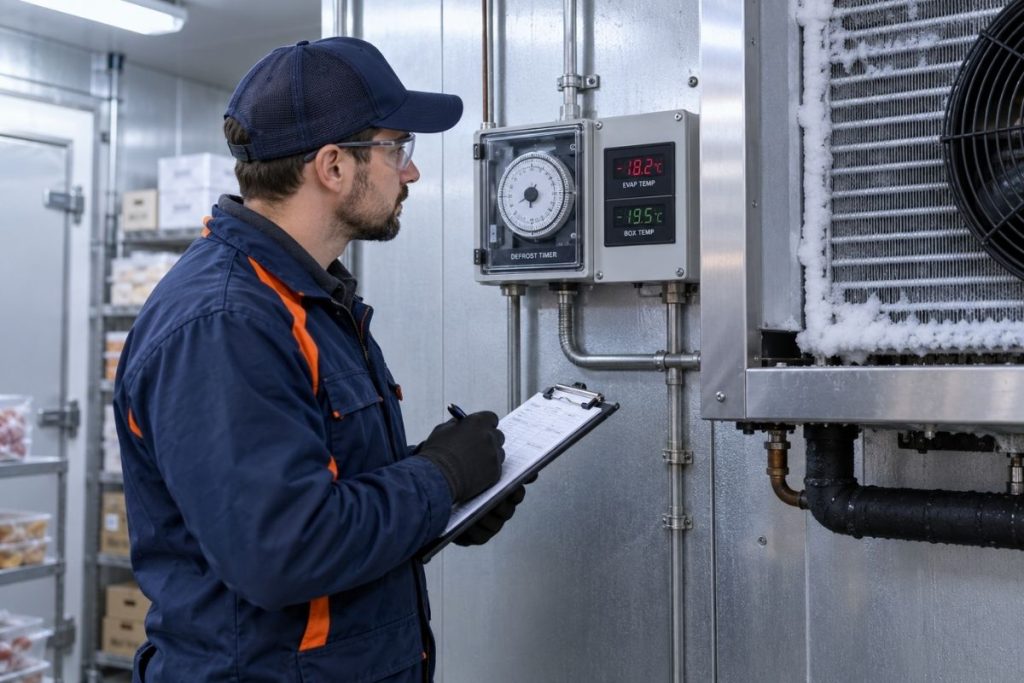
Many commercial walk-ins use an electronic controller rather than a simple mechanical thermostat. The controller receives a temperature signal from a probe, compares that reading with programmed values, and then calls for cooling according to its control logic.
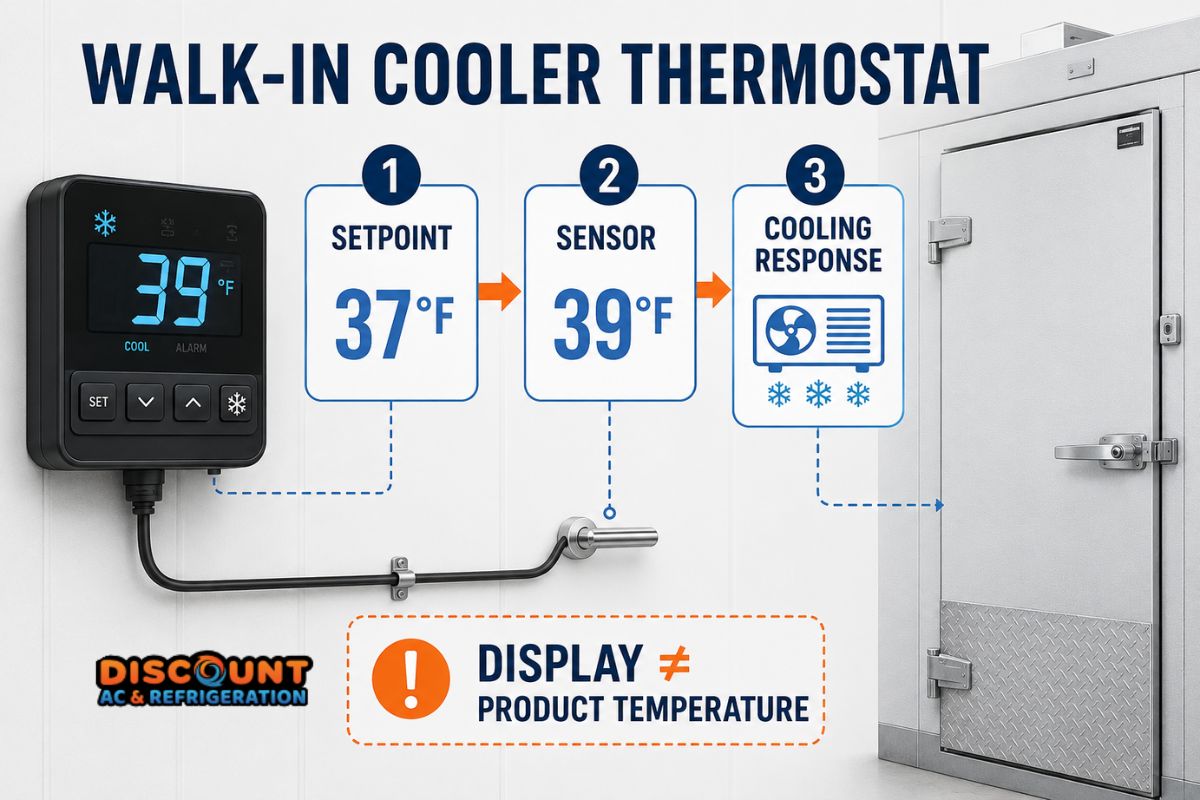
The number on the controller is usually the temperature detected at the probe—not necessarily the temperature of every product, shelf, wall, or air pocket inside the cooler. This distinction is essential when investigating a temperature complaint.
Four temperatures may be involved
- Setpoint: The programmed control target.
- Displayed temperature: The value reported by the controller’s sensor.
- Air temperature: A reading taken at a particular point inside the enclosure.
- Product temperature: The internal temperature of stored food or materials.
These readings do not have to match at every moment. Air changes temperature faster than dense products, while the controller may intentionally allow a differential around the setpoint before starting or stopping cooling.
Setpoint Is Not the Same as Actual Temperature
If a controller is set to 37°F, that does not necessarily mean the cooler will remain at exactly 37°F every second. Most controllers use a differential—the permitted change between the temperature at which cooling starts and the temperature at which it stops.
Defrost cycles, recent deliveries, door traffic, fan operation, product loading and heat entering through the enclosure can also affect observed temperatures. A single reading taken immediately after the door has been open may not describe the cooler’s overall performance.
Changing the setpoint without understanding these factors can make diagnosis more difficult. Setting it progressively lower may cause longer run times or icing without correcting the original problem.
How Sensor Placement Changes the Reading
The controller can only respond to the temperature detected where its sensor is installed. Sensor placement should represent the intended control condition while avoiding locations that create misleading readings.
A probe positioned too close to the evaporator discharge may detect colder supply air. A probe near the door may react to warm air entering during deliveries. Direct contact with a wall, wet surface, food container, drain line, or iced component can also distort the measurement.
| Sensor condition | Possible effect | Safe observation | Professional check |
|---|---|---|---|
| Near evaporator discharge | Reading may be colder than the occupied storage area | Note its location relative to the fan outlet | Confirm placement against equipment requirements |
| Near the door | Reading may rise whenever the door opens | Record door activity with temperature changes | Evaluate sensor location and infiltration |
| Touching product or a wall | Controller may respond to surface temperature instead of representative air | Visually check for contact without moving wiring | Reposition and secure the probe correctly |
| Wet, iced or damaged | Reading may drift, freeze or become intermittent | Look for visible moisture, ice or damaged insulation | Test sensor resistance, wiring and controller input |
| In restricted airflow | Reading may not represent the rest of the enclosure | Check for boxes blocking air circulation | Assess airflow and temperature distribution |
How to Compare the Controller Reading Safely
A separate thermometer can help reveal a discrepancy, but the comparison must be performed carefully. Two instruments placed in different locations or checked at different times may legitimately show different values.
- Use a reliable reference thermometer. A device of unknown accuracy cannot confirm that the controller is wrong.
- Place it near the control sensor. Do not compare the controller with a thermometer positioned across the room or next to the door.
- Allow the reading to stabilize. Avoid making conclusions immediately after opening the door, loading warm products or completing a defrost cycle.
- Record both readings. Note the time, controller display, reference temperature, door activity and operating condition.
- Repeat the observation. A consistent difference is more useful than one isolated reading.
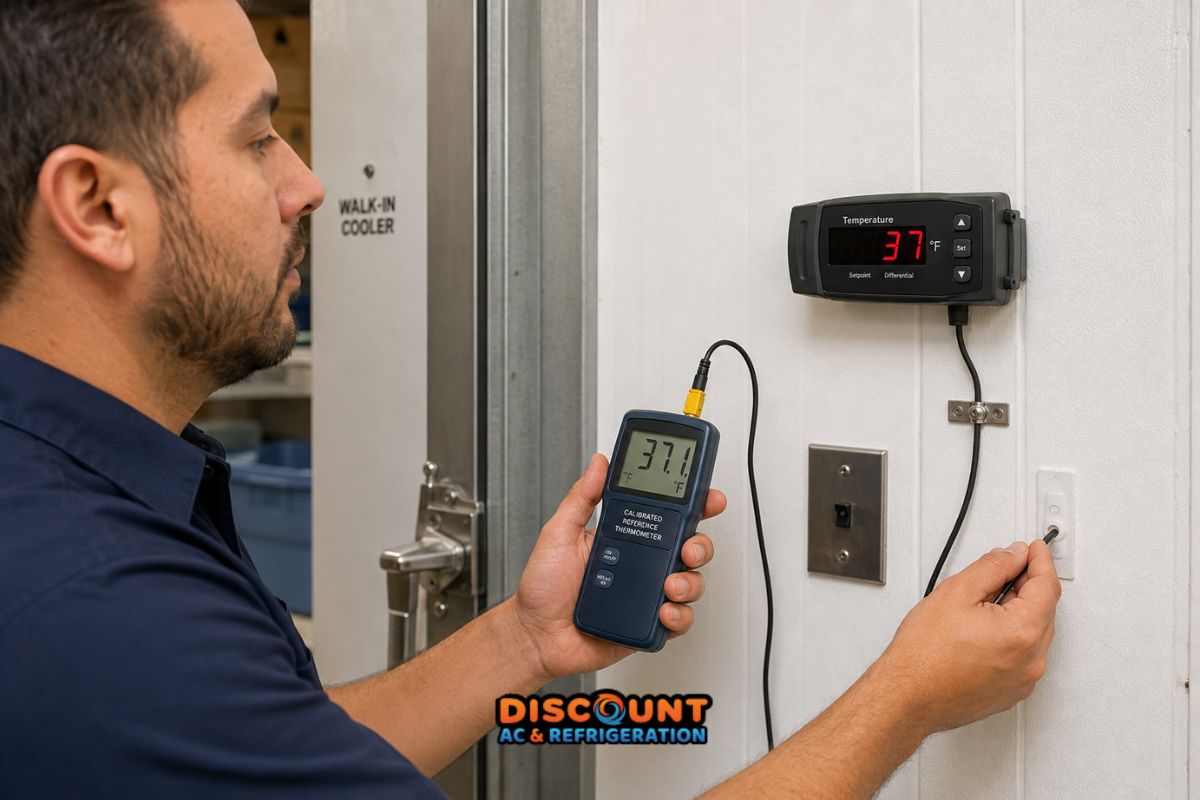
A large or repeatable difference may indicate calibration drift, incorrect controller configuration, sensor damage, wiring resistance, a loose connection or an unsuitable probe location. However, the result still needs to be interpreted using the controller and sensor manufacturer’s specifications.
When Calibration May Be the Problem
Some electronic controllers include an offset or calibration parameter. That feature should not be used to hide an unresolved refrigeration or airflow problem.
Before applying an offset, a technician should generally confirm that the reference thermometer is accurate, both probes are exposed to comparable conditions, the control probe is appropriate for the controller, and the wiring and connections are intact.
If the displayed temperature differs consistently from a verified reference under stable conditions, calibration or probe replacement may be appropriate. If the difference changes unpredictably, the investigation may need to include intermittent wiring, moisture intrusion, sensor deterioration or controller input failure.
Signs the Thermostat or Controller May Be Involved
- The display differs consistently from a verified thermometer located near the sensor.
- The displayed temperature jumps suddenly without a corresponding change inside the cooler.
- The controller shows a sensor or probe error code.
- The system does not call for cooling even though the sensed temperature has crossed the programmed threshold.
- The controller calls for cooling continuously despite reaching the intended control condition.
- The issue began after settings, wiring or the sensor location were changed.
These signs justify testing, but they do not prove that the controller itself has failed. The sensor, wiring, configuration and refrigeration equipment must be evaluated as a system.
Signs the Problem May Be Elsewhere
If the controller is accurately sensing a high temperature and calling for cooling, replacing the thermostat may not correct the problem. The fault may be in the refrigeration system, evaporator airflow or enclosure.
- Evaporator fans are not operating correctly: Cold air may not circulate throughout the enclosure.
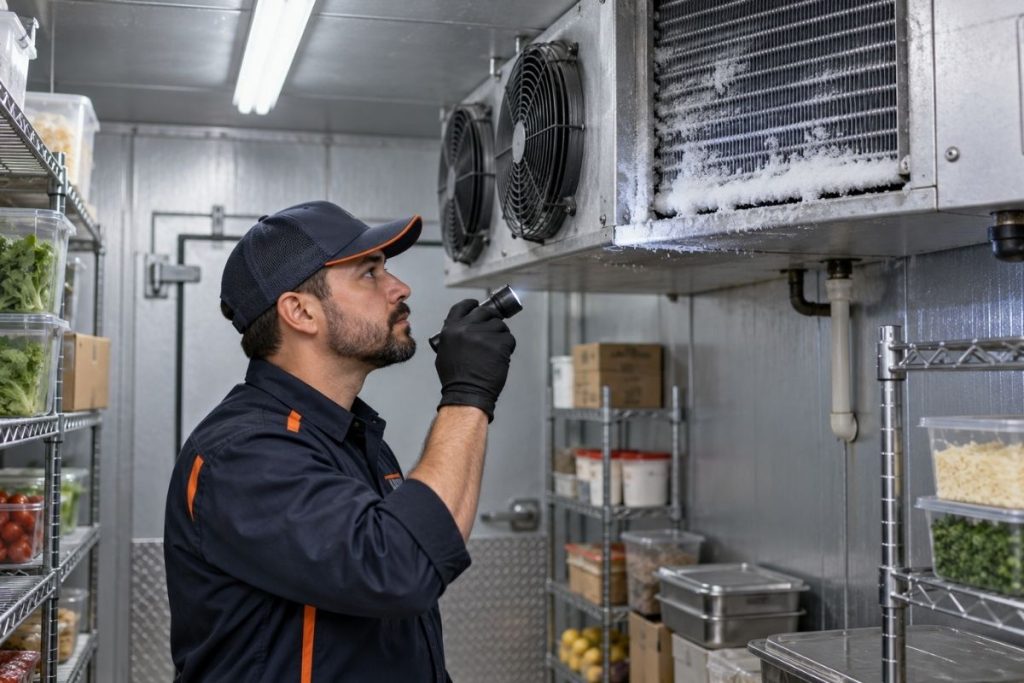
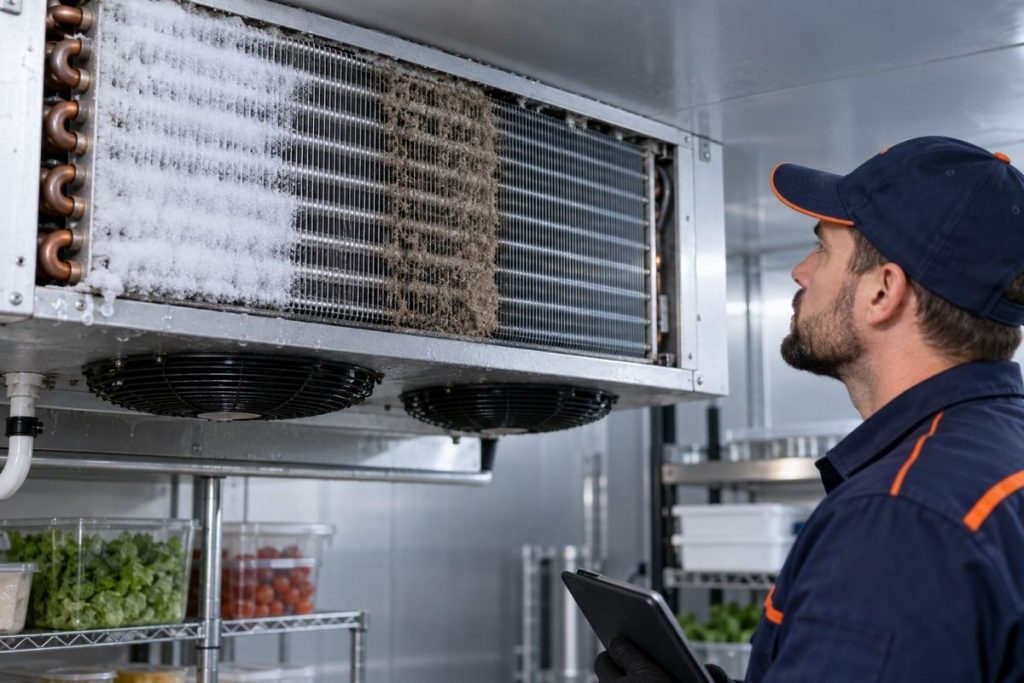
- Ice is accumulating on the evaporator: Airflow and heat transfer may be restricted.
- The condenser is dirty or has poor airflow: Heat rejection can deteriorate, especially under demanding Arizona conditions.
- A door or gasket is not sealing: Warm, humid air can enter and increase the cooling load.
- The refrigerant circuit has a problem: A leak, restriction, metering issue or compressor-related fault can reduce capacity.
- Product placement blocks airflow: Different areas can develop noticeably different temperatures.
For broader system symptoms, review our guide to walk-in cooler repair and warning signs. Businesses can also learn about available commercial refrigeration services and related reach-in cooler and display case service.
A Practical Diagnostic Sequence
A professional diagnosis should separate the control signal from the cooling response instead of replacing parts based on the display alone.
- Document the setpoint, differential, displayed temperature and active controller outputs.
- Compare the sensor reading with a calibrated reference under similar conditions.
- Inspect probe position, mounting, wiring and visible physical condition.
- Confirm whether the controller is requesting cooling at the expected threshold.
- Verify that relays, contactors and connected equipment respond to the command.
- Evaluate evaporator fans, frost patterns, defrost operation and airflow.
- Measure refrigeration system performance when the controller is operating correctly but cooling remains insufficient.
This sequence helps distinguish a setpoint or controller issue from a sensor problem, electrical control fault, airflow restriction or sealed-system condition.
What Business Operators Can Check
Operators can document symptoms without opening electrical panels or changing protected controller settings.
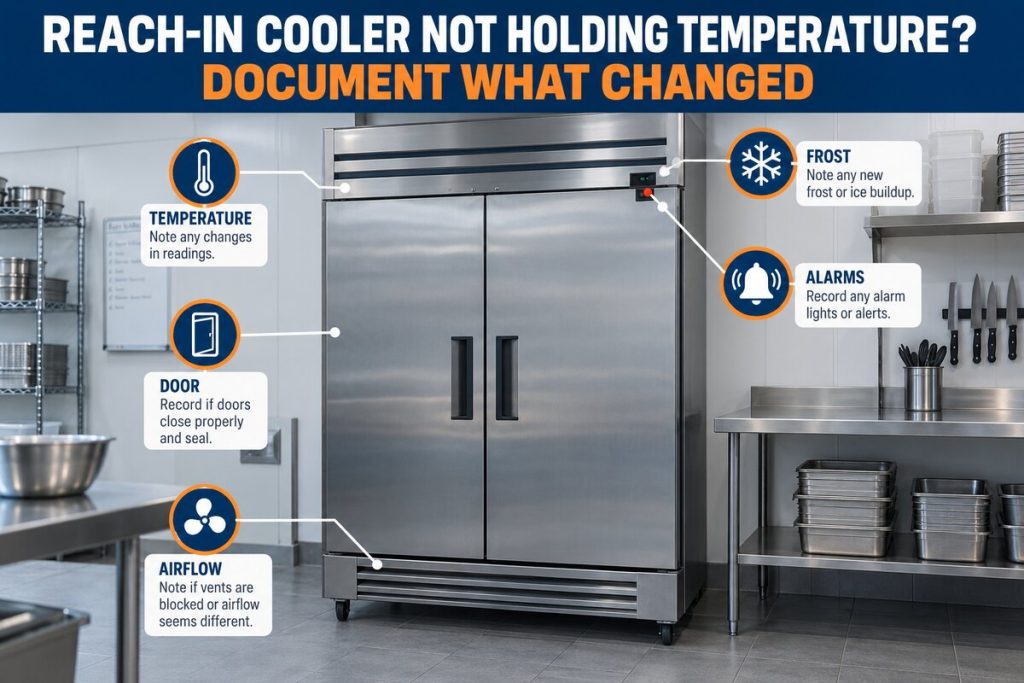
- Record the displayed temperature at consistent intervals.
- Note when doors were opened or deliveries were loaded.
- Check whether products or boxes are blocking evaporator airflow.
- Look for visible ice, water, damaged gaskets or a door that does not close correctly.
- Listen for evaporator fan operation without removing guards.
- Photograph error codes before resetting the controller.
- Preserve temperature and food-safety records required by the business.
Diagnostic boundary: Do not bypass the controller, jumper safety devices, open energized panels, alter undocumented parameters or handle refrigerant components. Electrical and sealed-system testing should be performed by qualified refrigeration personnel.
When to Request Professional Refrigeration Service
Arrange an inspection when the temperature continues to rise, the controller displays a probe error, readings change erratically, ice repeatedly returns, the system runs without achieving the expected temperature, or stored products may be outside required limits.
If perishable inventory may be affected, follow the business’s food-safety or product-handling procedures. A thermostat adjustment is not a substitute for verifying product condition.
Discount AC & Refrigeration of Phoenix provides commercial HVAC and refrigeration support for businesses across the Phoenix area. You can learn more about the company, explore additional HVAC and refrigeration resources, or request a diagnostic appointment.
Is the Controller Reading Correct but the Cooler Still Warm?
A structured diagnostic can determine whether the issue involves the setpoint, temperature probe, controller, airflow or refrigeration system.
Call (602) 889-136710211 N 32nd St # E1, Phoenix, AZ 85028
Frequently Asked Questions
This article provides general information and is not a substitute for equipment-specific instructions, food-safety procedures or an on-site refrigeration diagnosis.