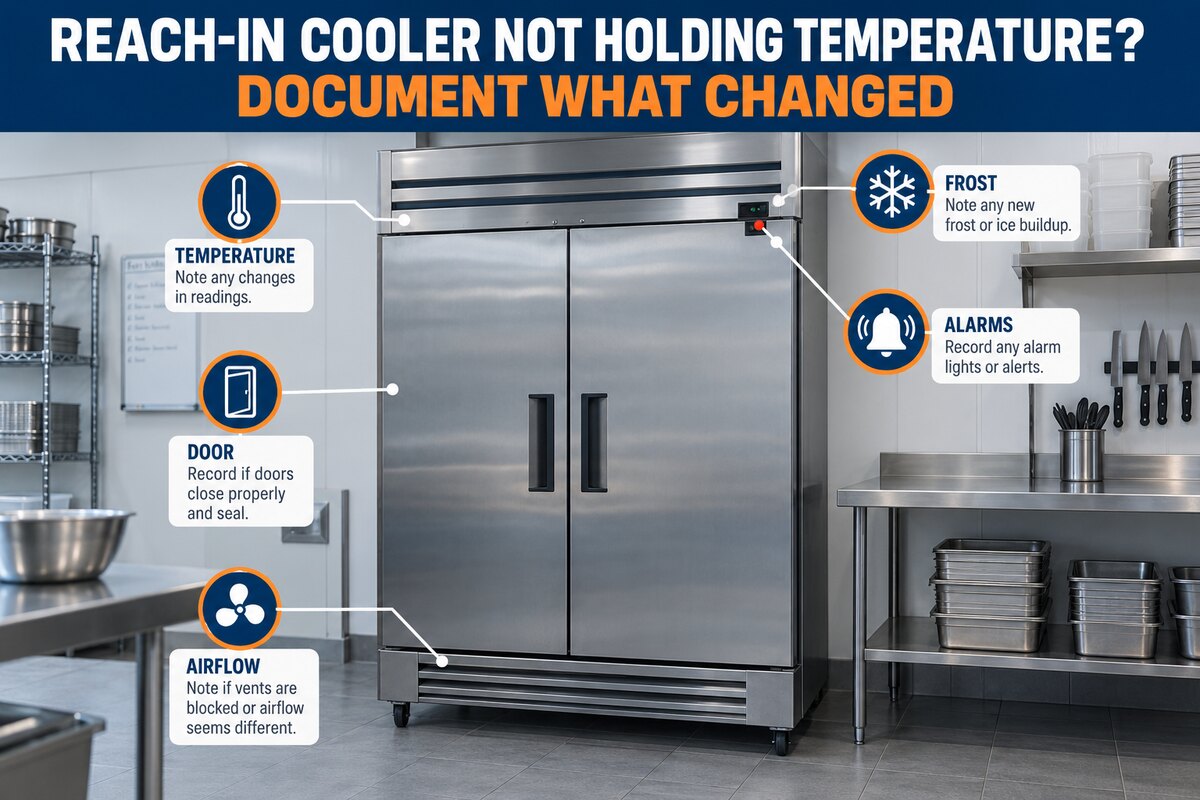
A reach in cooler not holding temperature requires two immediate priorities: protect the inventory under the business’s food-safety plan and document the operating pattern for professional diagnosis. Staff should not rely only on the cabinet display, repeatedly change the setpoint, or assume that every warm reading has the same cause.
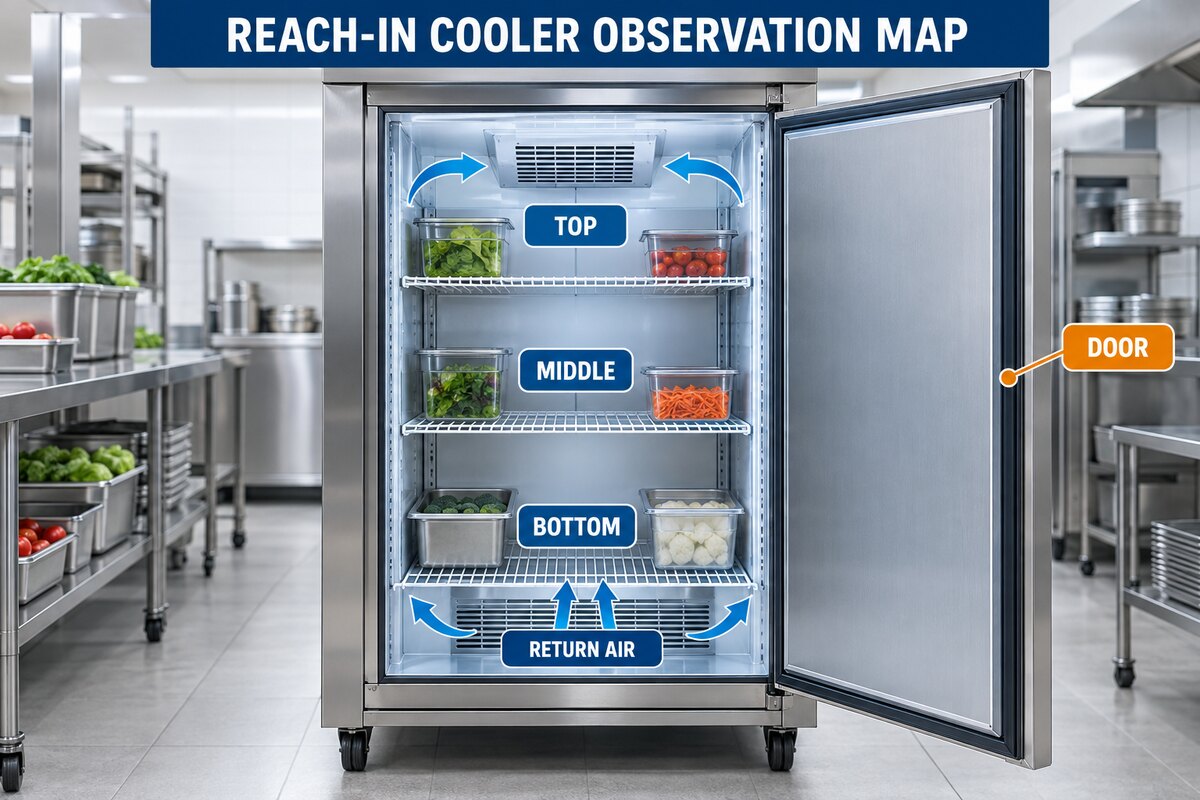
Record product temperatures according to the site’s approved procedures, note door activity and loading, and move inventory when the food-safety plan requires it. Electrical panels, fan guards, refrigerant components, controls, and internal repairs should be left to a qualified commercial refrigeration technician.
Start With Product Safety
Follow the business’s written temperature-control and corrective-action procedures. A display reading represents the sensor location and does not automatically represent every product. Use approved, calibrated instruments and the measurement method required by the operation. Record what was measured, where, when, and by whom.
| Area | Facility observation | Professional scope |
|---|---|---|
| Temperature | Record display, independent air reading, and product reading when required. | Verify sensor accuracy, controls, refrigeration performance, and temperature distribution. |
| Door activity | Note door-open events, deliveries, stocking, damaged gasket areas, and recovery time. | Inspect hinges, closer, gasket, alignment, heaters where applicable, and infiltration. |
| Airflow | Confirm products are within load lines and vents are not blocked. | Test evaporator fans, coil condition, defrost, ducting, and airflow performance. |
| Frost, water, or noise | Photograph visible patterns from safe areas and record when they appear. | Diagnose defrost, drain, fan, refrigerant, control, and mechanical causes. |
Air Temperature vs. Product Temperature
Air temperature can change quickly when a door opens or warm product is loaded. Product temperature changes more slowly and is usually more important for inventory decisions. Because the two readings behave differently, the log should identify each one clearly. Do not write a single number labeled only “temperature.”
Record the display value, the location of an independent air reading, any product reading required by policy, and the time since the last delivery or stocking activity. Consistent measurement points make the record useful. Random readings from different shelves are difficult to compare.
Door Traffic and Recovery
A reach-in cooler may warm during heavy door traffic and then recover. Document how long the door was open, how frequently it was used, whether staff were stocking, and whether the cabinet returned toward normal operation afterward. Note doors that do not close completely, torn or loose gasket sections, hinge problems, or packages that prevent closure.
Do not force or modify hinges and latches. A technician can determine whether adjustment, gasket replacement, door alignment, heater diagnosis, or another repair is appropriate. Review reach-in cooler and display-case service when the door or cabinet condition is affecting performance.
Loading and Airflow
Cold air must circulate around the stored product and return to the evaporator. Boxes pushed against discharge or return openings can create warm and cold zones. Overloading, tight stacking, warm product placement, damaged shelving, or containers extending beyond the load limit may change airflow.
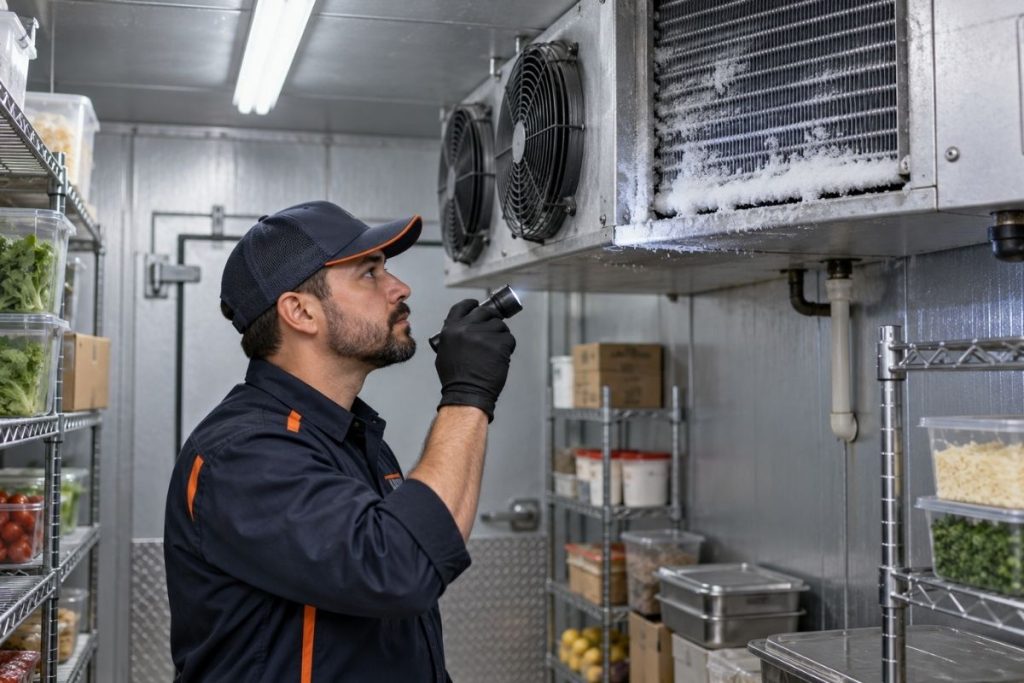
Staff can compare the current arrangement with the manufacturer’s load-line and clearance guidance. Do not remove fan guards, reach into moving fan areas, chip ice, or use a heat gun to clear a coil. If airflow remains weak with correct loading, the fan, coil, defrost, control, or refrigeration system may need professional diagnosis.
Frost and Ice Patterns
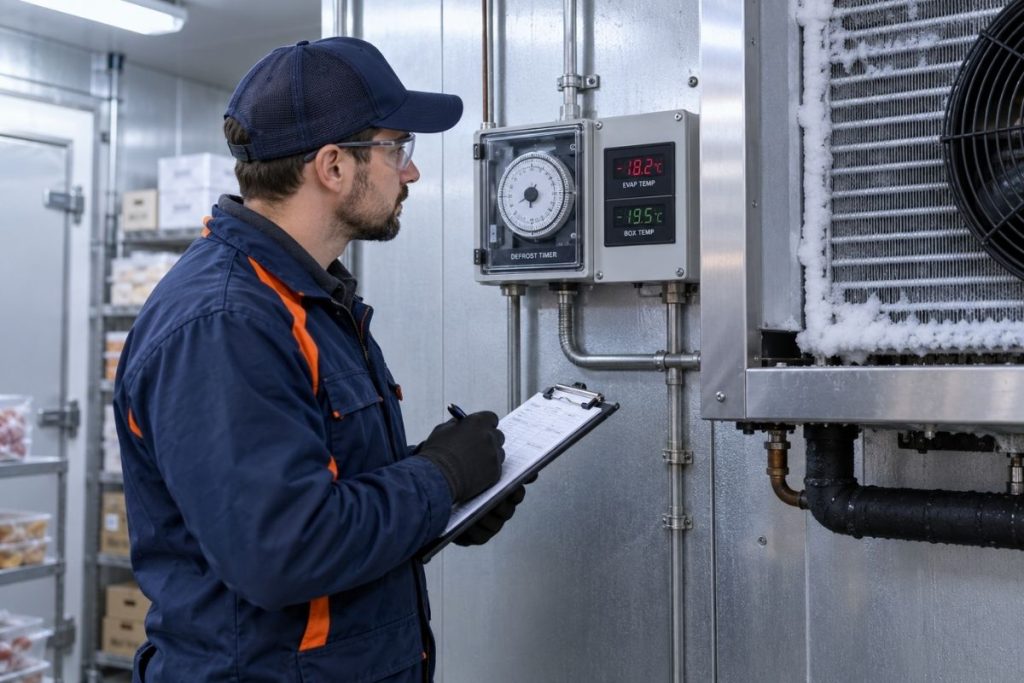
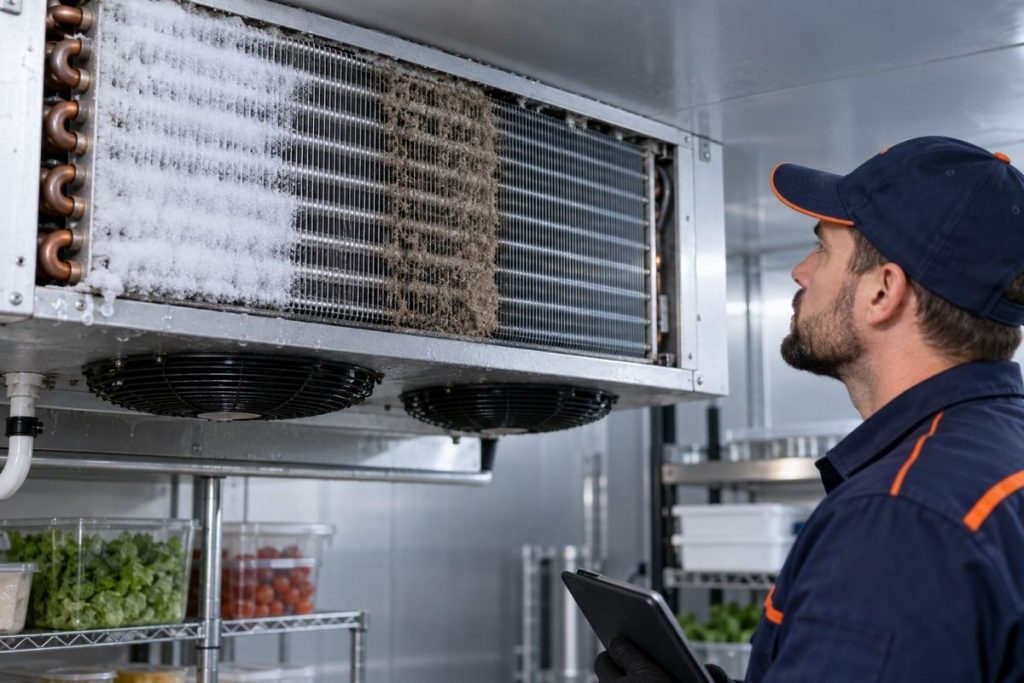
Frost location is useful evidence. Light, temporary frost after door activity is different from a heavily iced coil, ice concentrated near a door, or frost repeatedly returning after a defrost cycle. Photograph the visible pattern without removing panels. Record the time, door activity, temperature trend, and whether airflow or fan sound changed.
Never use knives, screwdrivers, open flame, boiling water, or improvised chemicals to remove ice. These methods can damage tubing, wiring, drain components, and cabinet surfaces. Technicians should determine why the ice formed before deciding how to correct it.
Condensation, Water, and Drain Clues
Document water inside the cabinet, below the unit, near the door, or around a drain area. Note whether it appears after defrost, door traffic, cleaning, or a temperature change. Keep walkways safe and protect inventory, but do not pour chemicals into a drain or disassemble drain and evaporator components.
Sounds, Alarms, and Compressor Behavior
Record exact alarm text and time. Describe sound by location and pattern: continuous buzz, intermittent click, fan rubbing, rattle, squeal, or unusually long quiet period. Do not open panels to identify the source. If there is smoke, an electrical odor, arcing, exposed wiring, or severe vibration, stop using the equipment according to the site safety plan and request professional help.
Build a Useful Observation Log
- Identify the exact cooler and location.
- Record date, time, display reading, and approved independent readings.
- Note door traffic, deliveries, loading, and room conditions.
- Describe airflow without removing guards.
- Photograph visible frost, water, gasket, or product-placement conditions.
- Copy alarms exactly.
- Record what inventory action was taken under the food-safety plan.
- Preserve recent maintenance and repair history.
Professional diagnosis may include sensors, controls, fans, defrost components, door hardware, drains, electrical components, compressor operation, and the sealed refrigeration system. Discount AC & Refrigeration provides commercial refrigeration service and support for urgent refrigeration conditions. Use the contact page to share the observation record.
Use Consistent Measurement Points
Choose approved locations that staff can repeat safely. Label shelves or zones in the log, identify the instrument used, and follow the operation’s calibration procedure. If readings come from different locations each shift, the apparent trend may reflect the measurement method instead of actual cabinet performance.
When several reach-ins are in the same kitchen or store, use an equipment ID rather than a description such as “front cooler.” Record the door or section involved on multi-door units. These details help separate a cabinet-wide issue from a problem concentrated near one door, shelf, sensor, or airflow path.
Document What Changed Before the Temperature Problem
Ask what happened before the first abnormal reading. Was there a delivery, deep cleaning, power interruption, menu change, shelf reconfiguration, door repair, overnight alarm, warm product load, or unusually heavy service period? Record the event without assuming it caused the problem. Timing helps the technician decide what to test.
Prepare the Cooler for a Professional Evaluation
Keep the unit accessible, preserve the log and alarm history, and avoid reorganizing every product immediately before the technician arrives unless inventory safety requires it. If staff must move product, photograph the original arrangement first. Identify the person who observed the problem so the technician can clarify the sequence.
Provide the equipment model and serial number if safely visible, previous repair records, the normal operating pattern, and any recent changes. Do not remove covers or search inside energized areas to find information. A clear record is more valuable than an unsafe inspection.
Related Commercial Refrigeration Resources
- Discount AC & Refrigeration
- Commercial services
- Commercial HVAC services
- Preventive maintenance
- Walk-in cooler and freezer service
- Refrigerant leak detection
Frequently Asked Questions
Why does the display look normal while products are warm?
The display reflects its sensor location and response. Product placement, airflow, loading, door activity, or sensor accuracy can create differences that require documented measurements.
How long should a reach-in cooler take to recover?
Recovery depends on equipment design, load, product temperature, door activity, room conditions, and system condition. Compare with the unit’s established normal pattern.
Can staff adjust the thermostat?
Avoid repeated setpoint changes. Record the approved setpoint and observed temperatures, then request diagnosis if the cabinet does not control properly.
Does a torn gasket cause temperature problems?
A damaged or poorly sealing gasket can allow warm, humid air into the cabinet, but door alignment and other factors should also be evaluated.
What should we do with food when the cooler is warm?
Follow the business’s approved food-safety plan and applicable health requirements. Equipment troubleshooting should never replace inventory-protection procedures.
Can blocked shelves affect temperature?
Yes. Product can block discharge or return airflow and create uneven temperature zones.
Is frost always a refrigerant problem?
No. Door infiltration, airflow, defrost, fan, control, and refrigeration conditions can produce frost. A visible pattern alone does not establish the cause.
When is professional service needed?
Request service for unsafe product temperatures, repeated alarms, poor recovery, recurring frost, weak airflow, water, unusual noise, door problems, or any persistent departure from normal operation.
Protect Inventory and Document the Pattern
Discount AC & Refrigeration can diagnose reach-in cooler temperature problems across airflow, doors, controls, fans, defrost, electrical, and refrigeration systems.